
Follow the 7 steps below to change your password on outlook:
Step 1
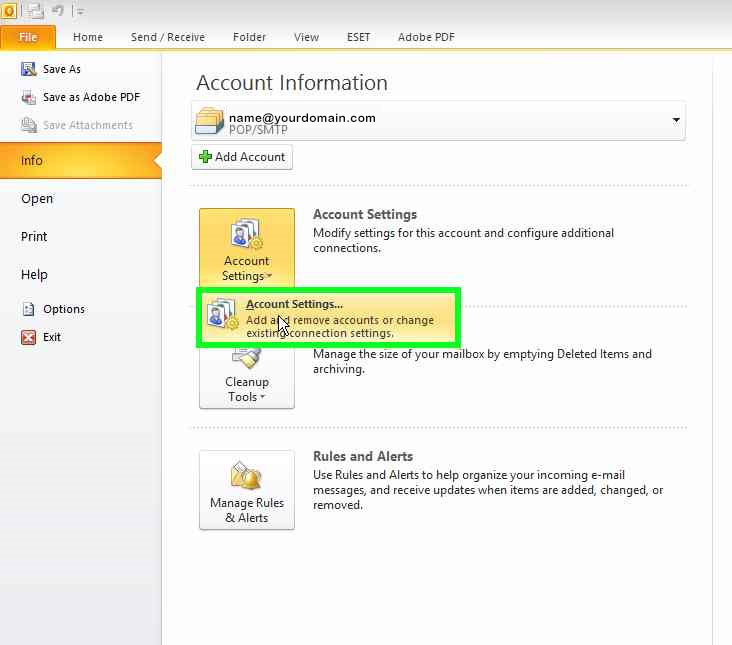
Go to File > info > Account Settings > Account settings
Step 2
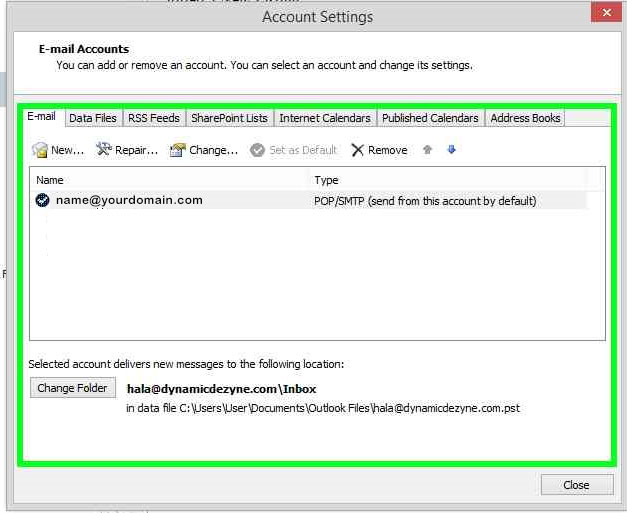
Select the email account that you want to change the password for and double click
Step 3
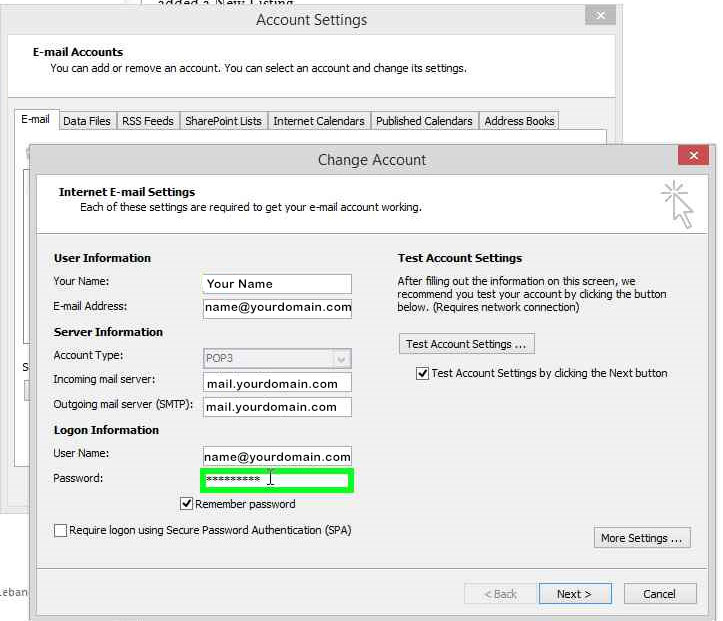
Go to Password
Type in your new password, it is better to have it written in a notepad, then copy from notepad without any empty space, then paste in outlook
make sure ‘remember password’ is selected
Step 4
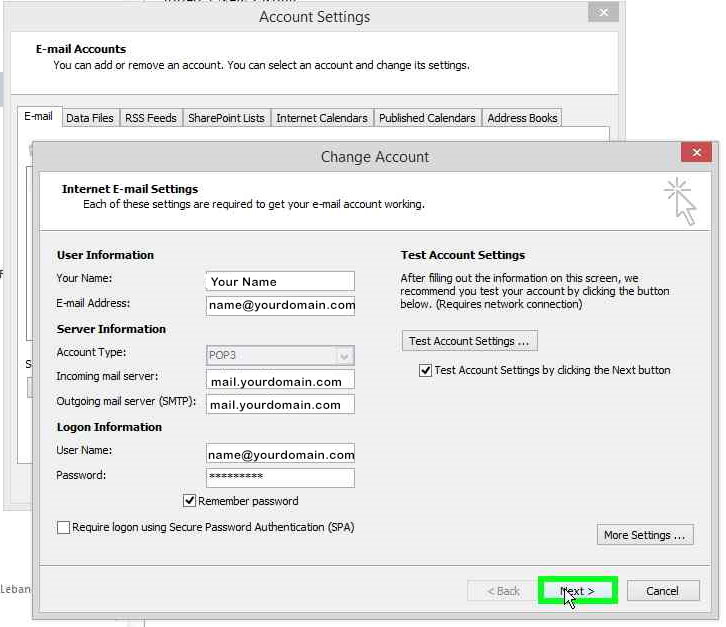
Click Next
Step 5
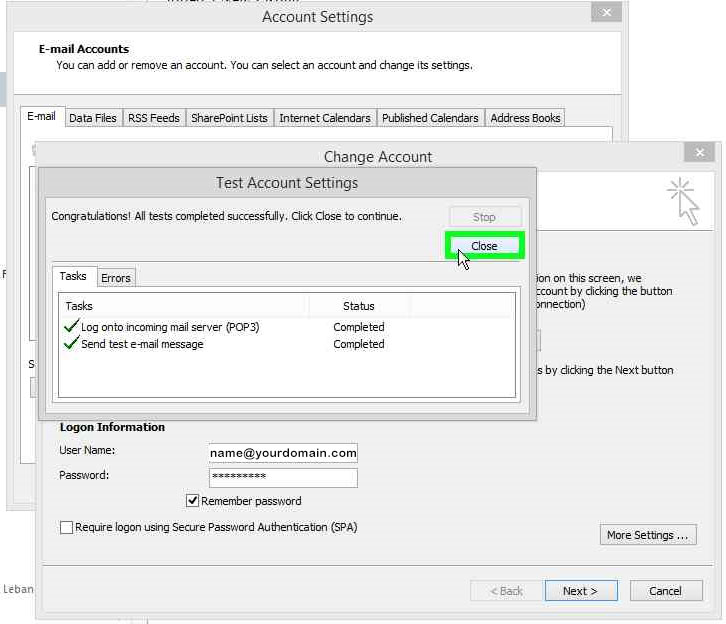
At this point outlook will run a test for incoming and outgoing emails to see if the settings are correct.
click close to close the test after finishing
Step 6
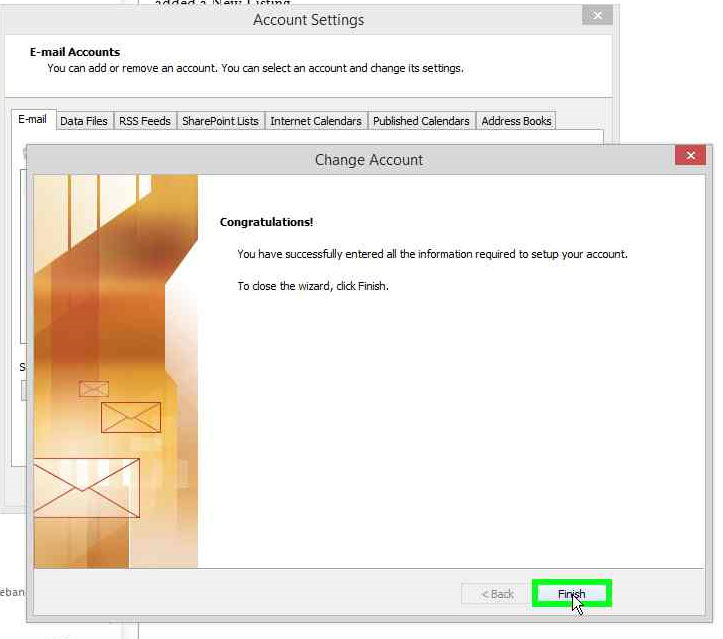
Click FINISH
Step 7
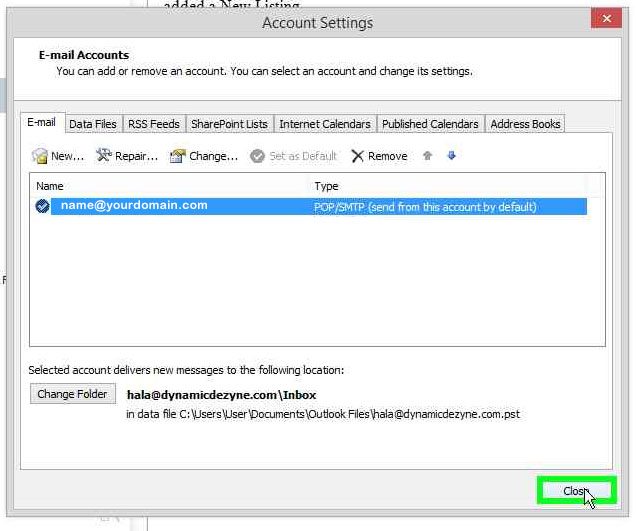
Click CLOSE
That’s it 🙂